
The family’s chores, points and rewards
Small steps, big rewards.
Kids earn points for the day’s chores and trade them for rewards the family agrees on: an ice cream, an outing, a fun game. Each kid follows everything on their own device.
How it works
Your family is ready in a few minutes. After that, less than a minute a day.
Agree on chores and rewards
The family starts with 10 chores and 6 rewards ready to use. Adjust the points, the costs and how many times a week each reward can be redeemed.
Check what was done
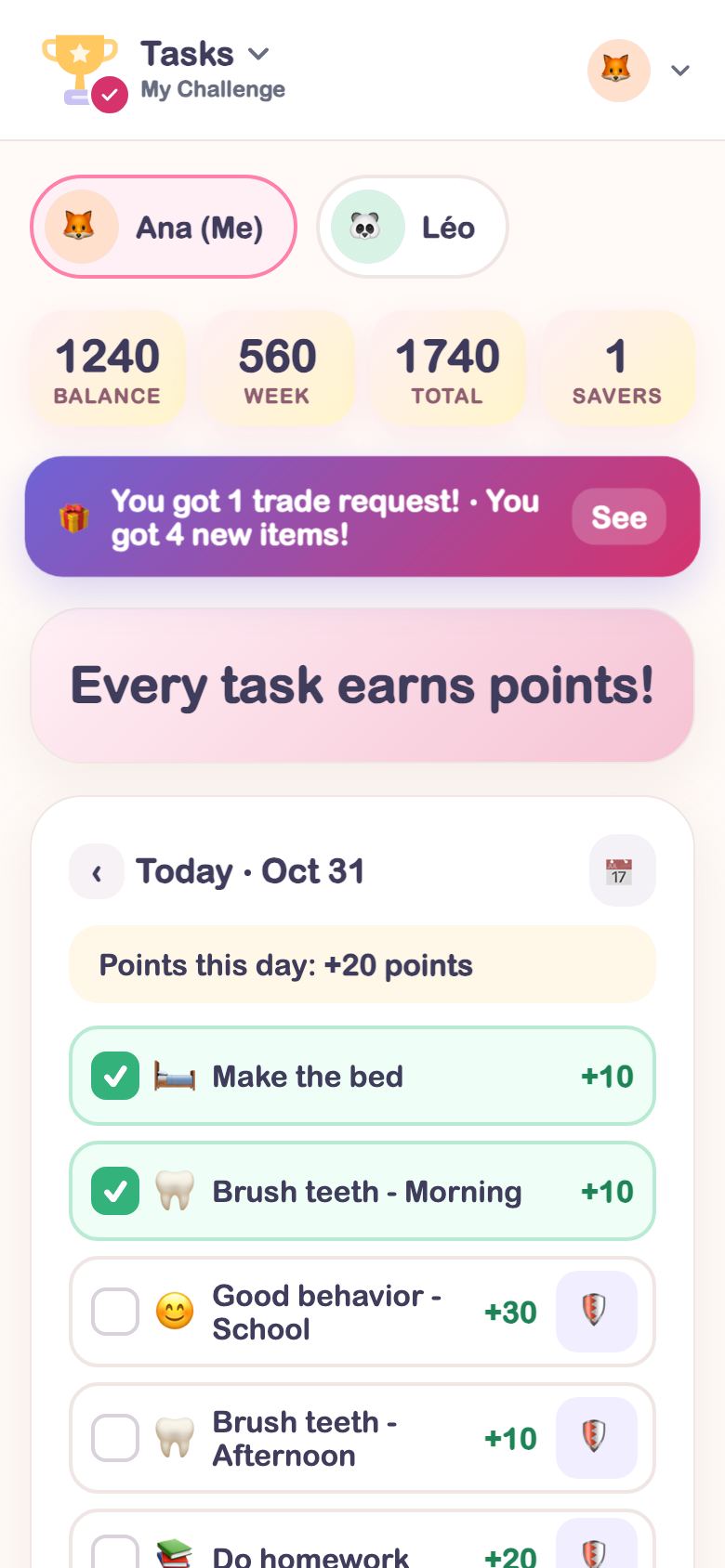
At the end of the day, an adult taps the chores that were done. The points go straight to the kid’s balance.
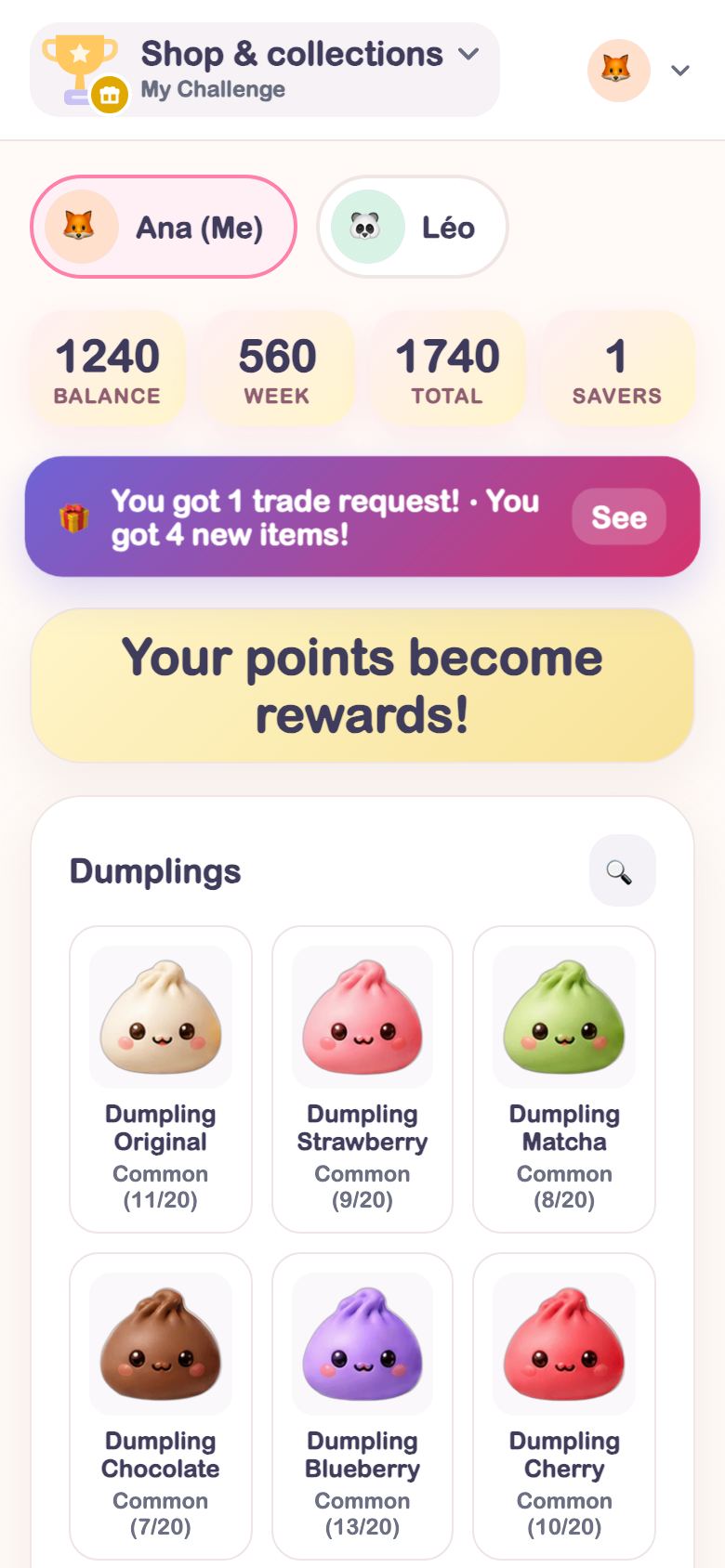
Trade points for rewards
The kid picks the reward. They redeem it on their own, ask and an adult approves, or only the adult redeems: the family chooses.
Everything the family uses every day
Each part of the app motivates in its own way, and all of them add points to the same balance.

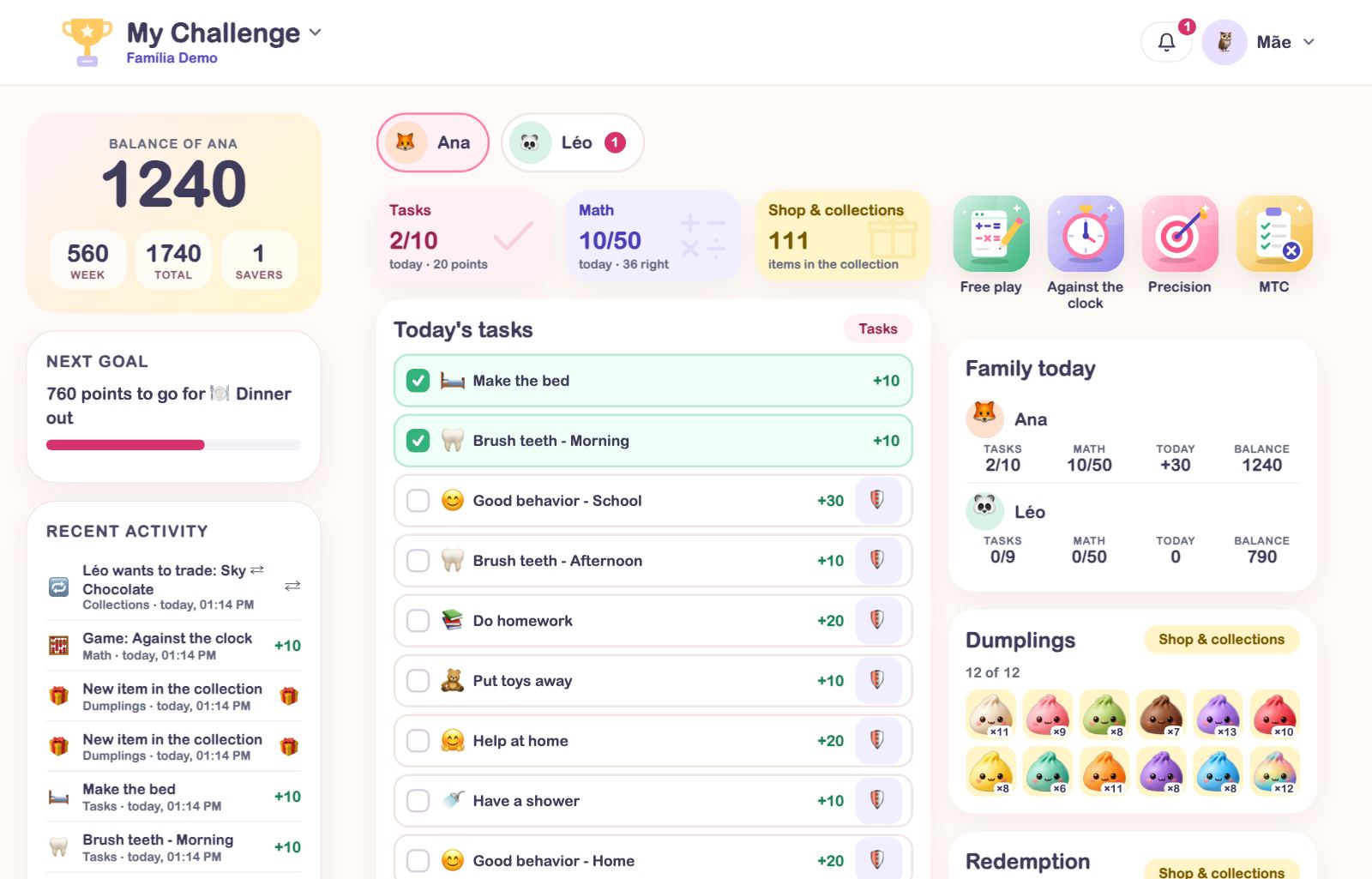
Tasks
The house routine in points: making the bed, brushing teeth, doing homework. Each kid sees their own, and you can hide what doesn’t apply to them.

Math
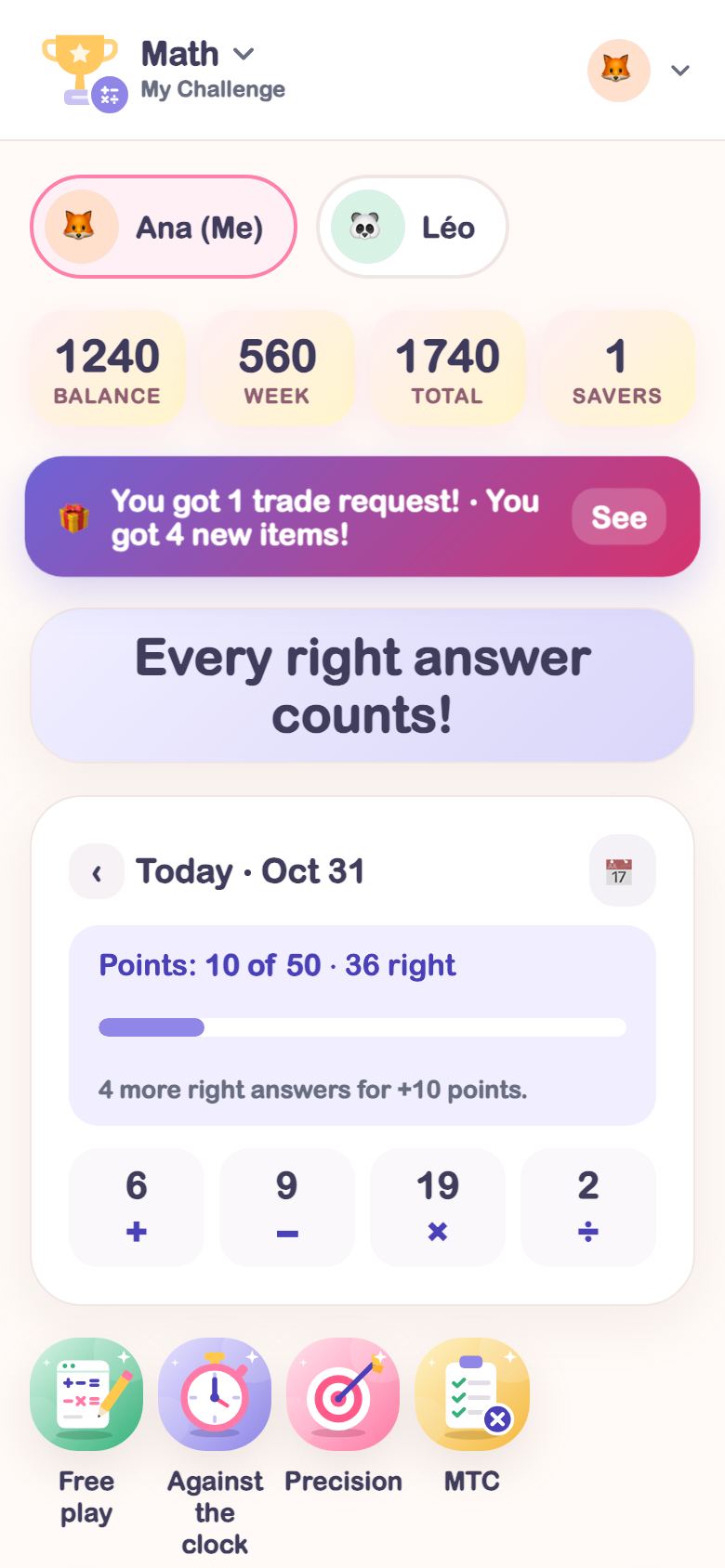
Math games that turn into points: Free play, Against the clock, Precision and the MTC, the official times tables check, with practice and test.

Shop & collections
Points turn into the family’s rewards and collection stickers, which siblings and related families trade with each other.

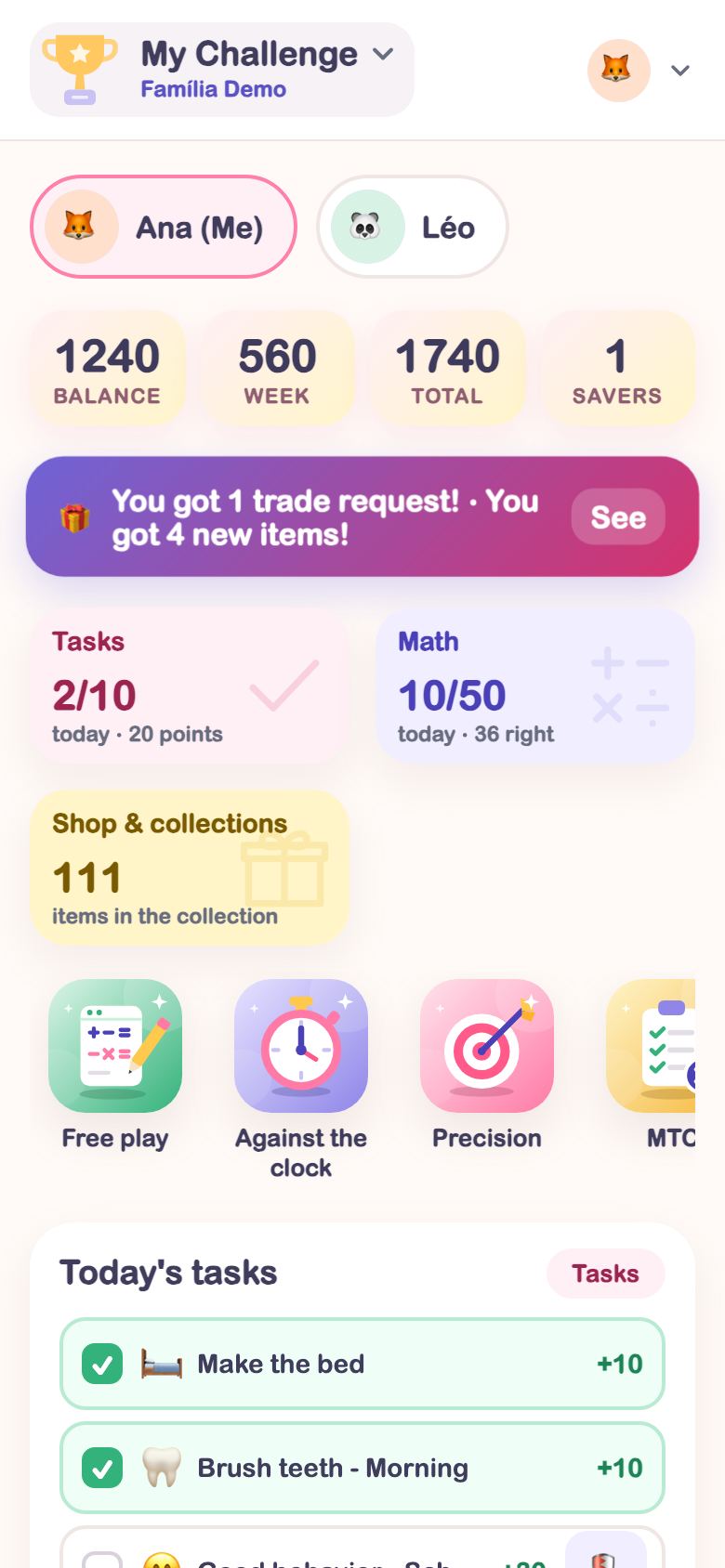
Each kid’s Home
The balance, today’s chores, the next goal and the games in one place, set up by the family for each kid.
On a phone, tablet or computer
Opens in the browser and stays as an icon on the home screen, no app store needed.
Made for kids, with care
The family decides who sees what. The app keeps the minimum.
- No photosOnly emoji avatars, for kids and adults.
- Kids by nicknameThey log in with the family code, a username and a password, no email.
- Only the adults’ emailIt’s the only personal data kept.
- No adsNo advertising inside the app.
Plans
Start with the Family+ trial. Then keep the plan that fits your family.
⭐ Go
- Parents
- 1
- Caregivers
- 1
- Kids
- 1
- Related families
- 1
- Shop & collections
- no
- Modules
- Tasks
🌟 Family
- Parents
- 2
- Caregivers
- 1
- Kids
- 2
- Related families
- 2
- Shop & collections
- yes
- Modules
- Tasks and Math
🏆 Family+
- Parents
- 2
- Caregivers
- 4
- Kids
- 4
- Related families
- 4
- Shop & collections
- yes
- Modules
- Tasks and Math
Questions
How does the free trial work?
Tap Free trial and leave your email. Once approved, the invite arrives by email with the Family+ plan for 30 days, at no cost. The invite is valid for 7 days.
Can kids check their own chores?
No. Only adults check them. Kids follow their points, use Savers and redeem or ask for rewards, depending on the mode the family chooses.
Who is the Caregiver?
An adult who helps day to day, like grandparents or a nanny. They check chores, give extra points and approve redemption requests, but don’t change the family’s lists.
Do I need to install anything?
No. The app opens in the browser on a phone, tablet or computer. If you like, add it to the home screen so it stays as an icon.
What data does the app keep?
No photos: only emoji avatars. Kids are added by nickname. The only personal data kept is the adults’ email.